

Many displaying alternatives
View different file and content types such as emails, files, and customer information in a unified and search result list. Choose the easiest way to browse the normalised search results: list, grid, icons, or report view. On icon view it is possible to bundle a report by choosing multiple results and using the report plugin.
This is how it works
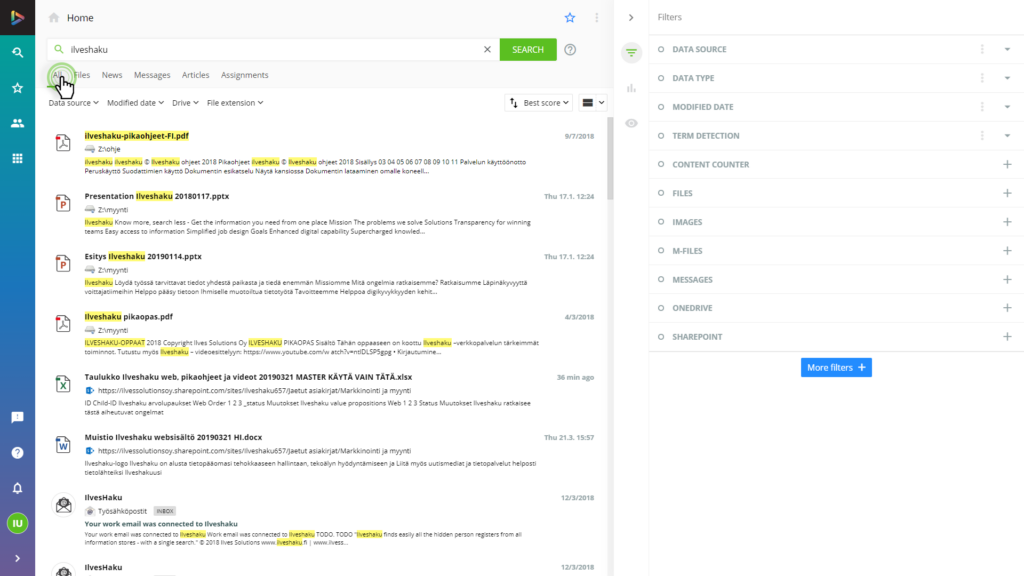
Search results
One list of search results extracted from all data repository contents.
Displaying alternatives
Order and displaying options can be found at the toolbar above the search results.
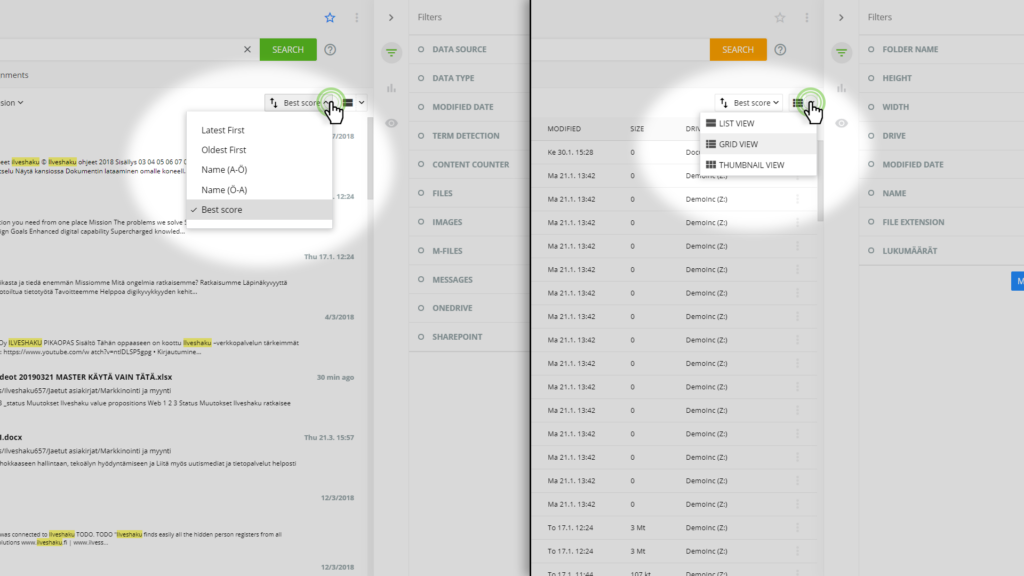
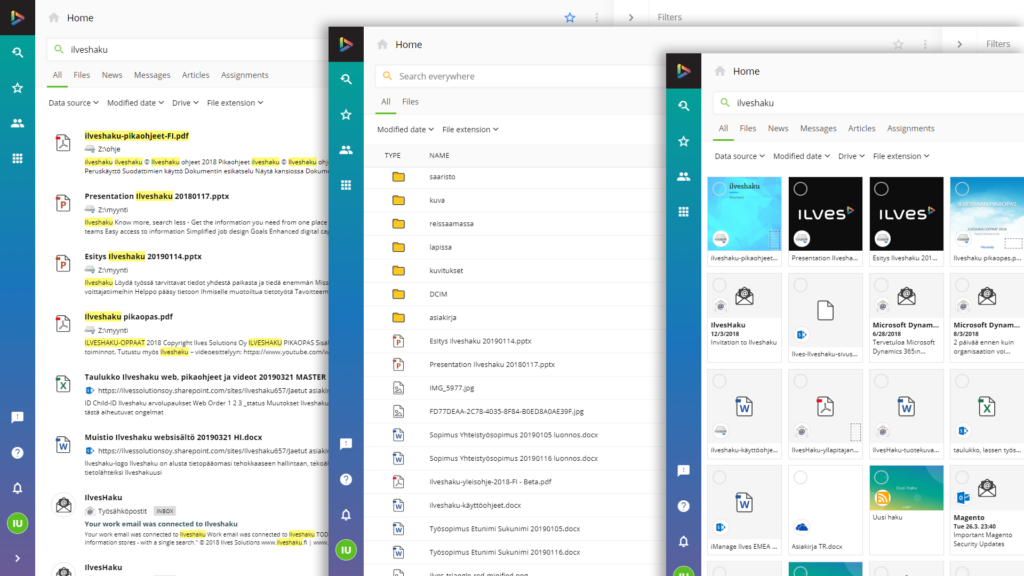
Selecting view
Select LIST VIEW, GRID VIEW, or THUMBNAIL VIEW.
FAQ
Frequently Asked Questions
Are there alternative ways to display the search results?
Yes, there are many alternatives. Choose the best alternative for you.
